What is Happening to Me?!
-
This is very helpful, thanks Clever. I'll keep you posted on what I find.
-
The good news is that so far action has been taken on the unnatural links and not on your site. It's worth figuring out what's happening, but Google does try - usually successfully - to avoid penalties for things you aren't responsible for.
The suggestion to inspect as Googlebot is a good one. I use this for Firefox:
http://chrispederick.com/work/user-agent-switcher/
For some reason I had problems with the Chrome UA switcher.
-
Thank you this is helpful.
Although I wish this thread wasn't marked "Answered" as nothing has been answered here... I'm looking through as Googlebot and seeing nothing different. I'm going to wait a few days and see if this changes.
But if it does not I would like the "Answered" marking removed so that others will be more likely to contribute advice.
I do appreciate all of the advice given so far, however. Thank you for that.
-
Maybe the Moz folks can change this from a "question" to an "ongoing discussion"? Not sure if that is possible. Thanks for the updates Jesse.
-
Updated to "discussion"
-
Thank you Carson!! You're awesome.
-
something happened and my last post didn't go i'll try again..
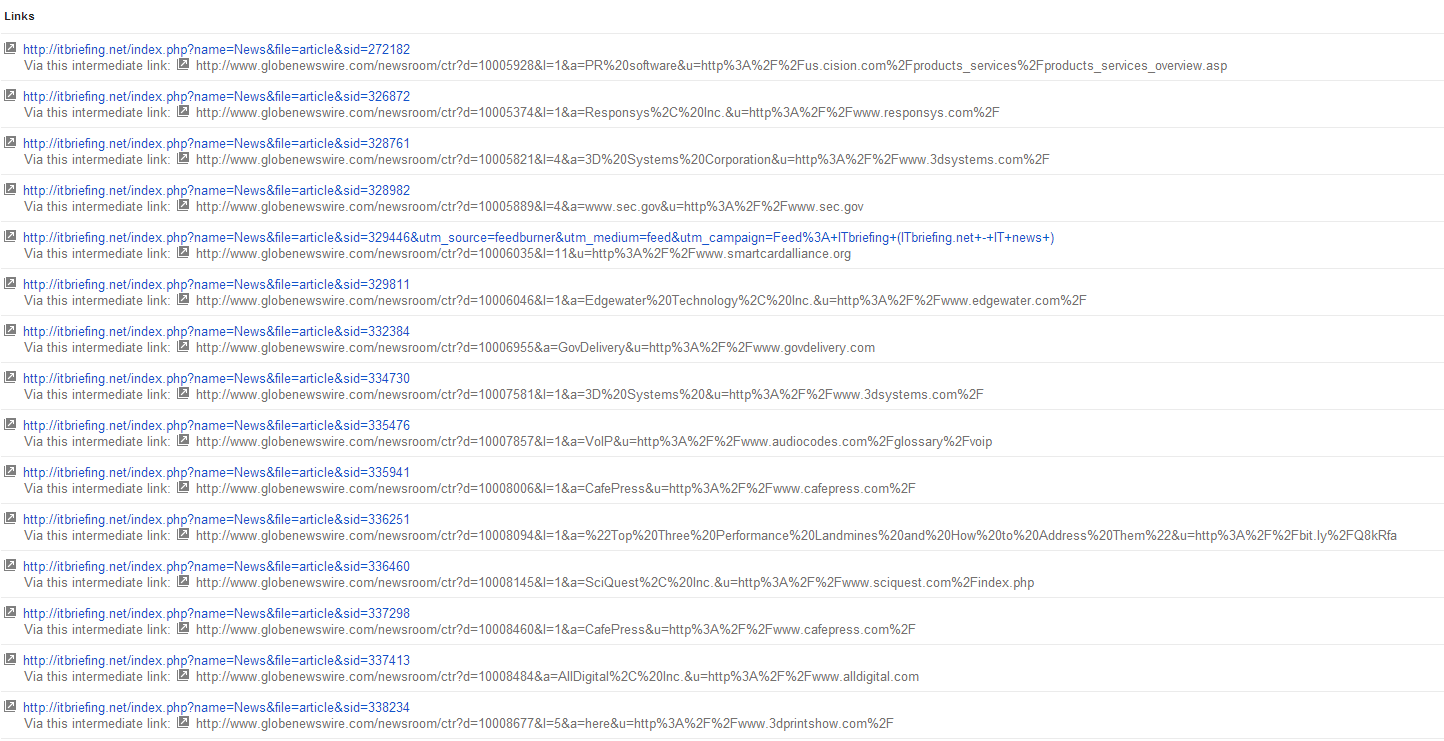
So this morning these links are all still showing in GWT and nowhere else. They don't show up when I download the latest links CSV... But when I go to the links in GWT I see this "via intermediate URL" thing.. Does anybody know what that means? Here's what it looks like: http://gyazo.com/13f45a6978ee9bfbab046cfb74cebc2f.png
-
I had "via this intermediate link" when I had a link from another website to an old URL that I had a 301 redirect to the new URL. The link was credited in GWT to the new URL. I had a bunch of links that were being caught by a default 301 to a main directory. I used the "via intermediate URL" to then find what old URLs still had links and then change the 301s for those specific old URLs to more appropriate URLs on my site.
Run those intermediate links through your browser etc and see if that tells you anything. What is strange is that the parameter in the URL is another URL. You may want to check those out too separately.
-
Interesting thanks for that info..
I've dug into all of these URLs and yeah I noticed that they were referrals as well.. tried to get into any/all of them and have yet to find even one with a link to our domain.
3 days later and I'm still baffled. Haven't seen these links show up on any other reports (ahrefs, OSE)
The good news is I haven't seen any of my rankings hurt yet either.
-
Good Bizarre News Everybody (or maybe just me!)
This morning I'm back to a normal amount of links displaying in GWT. What once displayed 196,000 links now shows a more accurate 2,400.
No explanation, no ranking changes. Just gone now.
Thus closes one of the more bizarre chapters in my SEO career. I will forever wonder if this has happened to anyone else. Either way I'm glad they're gone.
Thanks for all the support and help in this. Glad it's over!!
-
Glad to hear it!
 Did the warning in WMT also disappear?
 -
No it did not. I was pretty sure those were unrelated though. This is a site that had a ton of blackhat links purchased about 9 months ago and I've been fighting them for ...well, 9 months. So I'm not too surprised by that although when I started there were about 6,000 links so I've gotten rid of a good 3,500 poison links so far.
My rankings haven't been hurt at all and the warning says it is taking action only on the links in question so I'm thinking it's actually a good thing and it's helping... not sure I'll keep watching.
Thanks again!
-
Either way I hope this thread helps somebody else in the future. I should have titled it differently to make it searchable in Google. But there's some great advice from yous guys here...
Onwards!
-
Good to hear. Does lend support to the trend that GWT link data can be slow to update and in this case even go off the rails.



-
04147
-
 013278
-
 013864
-
 03506
03506
-
 03115
03115
-
 061.6k
-
 04751
04751
-
082.4k